Skip to guide

Mermaid Diagrams and LaTeX Math in Markdown on Mac

The quick answer

Use a fenced mermaid block for a diagram and single dollar signs around an inline LaTeX formula. Open the file in Zizeg and switch to Split to see the Markdown and the rendered result together.

Try both in one Markdown file

```mermaid
flowchart LR
    A[Draft] --> B[Review]
```

The area is $A = w \times h$.

Preview shows an arrow from Draft to Review and renders the area equation inline. Edit the Mermaid block in Source, or click the formula in Preview to change its notation.

  • Use a separate block for longer math. Put $$ on its own line before and after the formula, or use a fenced math block.
  • Check the output you share. Zizeg can render diagrams and formulas in PDF and standalone HTML exports. Viewing is free. Editing and export require an unlock.
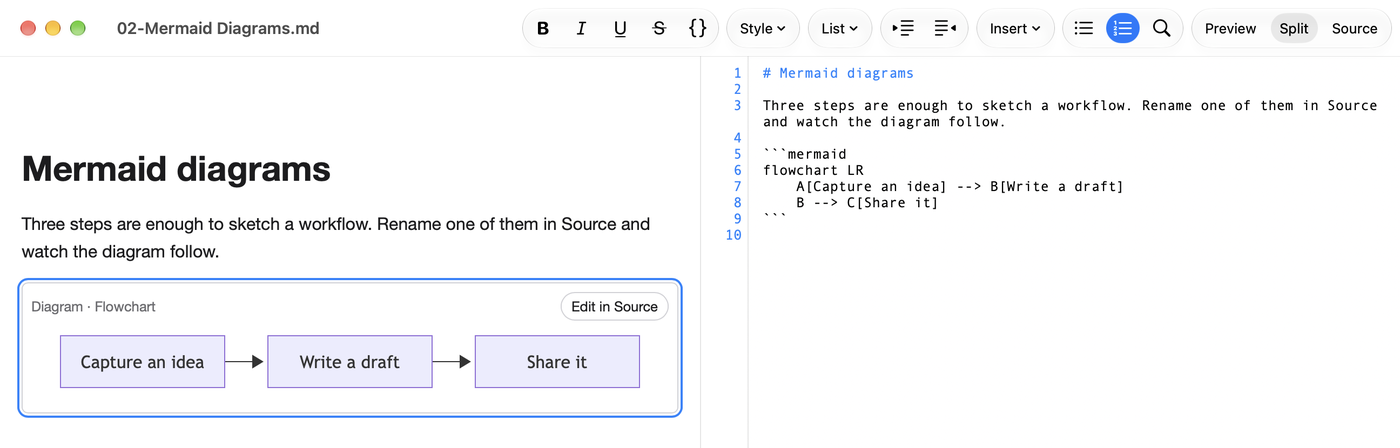
Zizeg shows a rendered Mermaid diagram beside the editable Markdown source.

Try it with your Markdown.

Open a familiar file and see both views in Zizeg.

Download on the Mac App Store

Reading is free. Editing and export require unlocking. Eligible subscribers can try them free for 7 days.