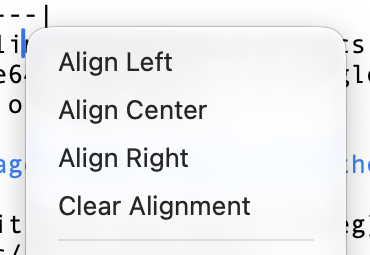
Markdown pipe tables use colons in the separator row for alignment: :--- for left, :---: for center, and ---: for right. In Zizeg, choose the column alignment through Table Operations instead of editing the markers yourself.
Choose the alignment where you work.
Select the column. Place the cursor in a cell, then open Table Operations from the toolbar’s Insert menu or the cell’s contextual menu.
Choose the alignment. Apply left, center, right or default alignment. Text often reads best on the left; short number columns can be easier to scan on the right.
Check Source in Split. Zizeg stores alignment in the Markdown separator row. It is still a pipe table, with no spreadsheet formulas or merged cells.
Choose left, center, right or default column alignment.
Try it with your Markdown.
Open a familiar file and see both views in Zizeg.
Reading is free. Editing and export require unlocking.